
Sound amplifier for iPhone
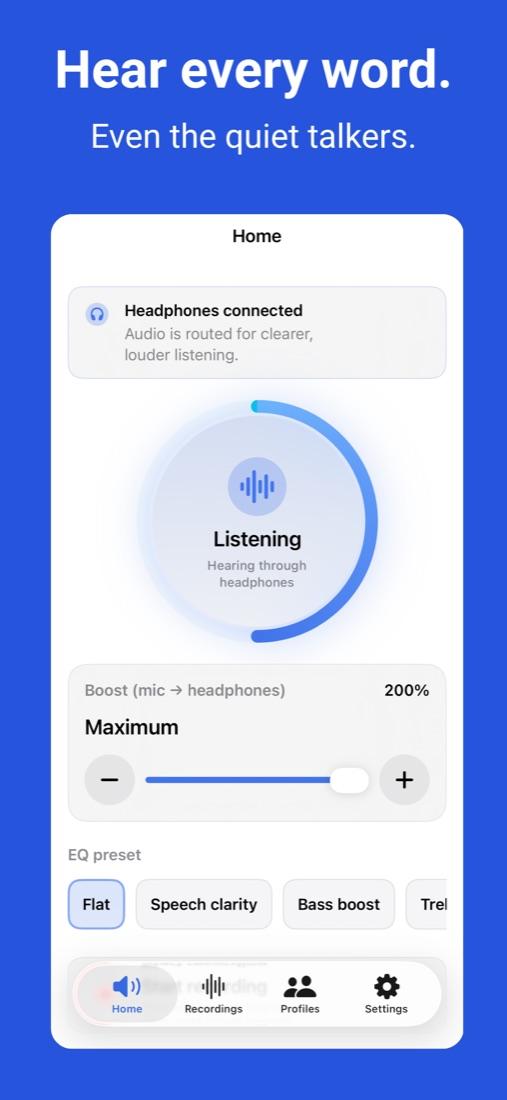
Hear every word.Even the quiet talkers.
LoudPhone picks up the sound around you with your iPhone's microphone and plays it back louder and clearer, straight into your wired or Bluetooth headphones.

Free live listening · Pro unlocks boost up to 200%
- ✓No uploads
- ✓No accounts
- ✓Processed 100% on your iPhone
Where it helps
Made for real conversations

Conversations in noisy places
Turn up the voices across the table in a busy café or restaurant.

Lectures & meetings
Hear the speaker clearly from the back of the room.
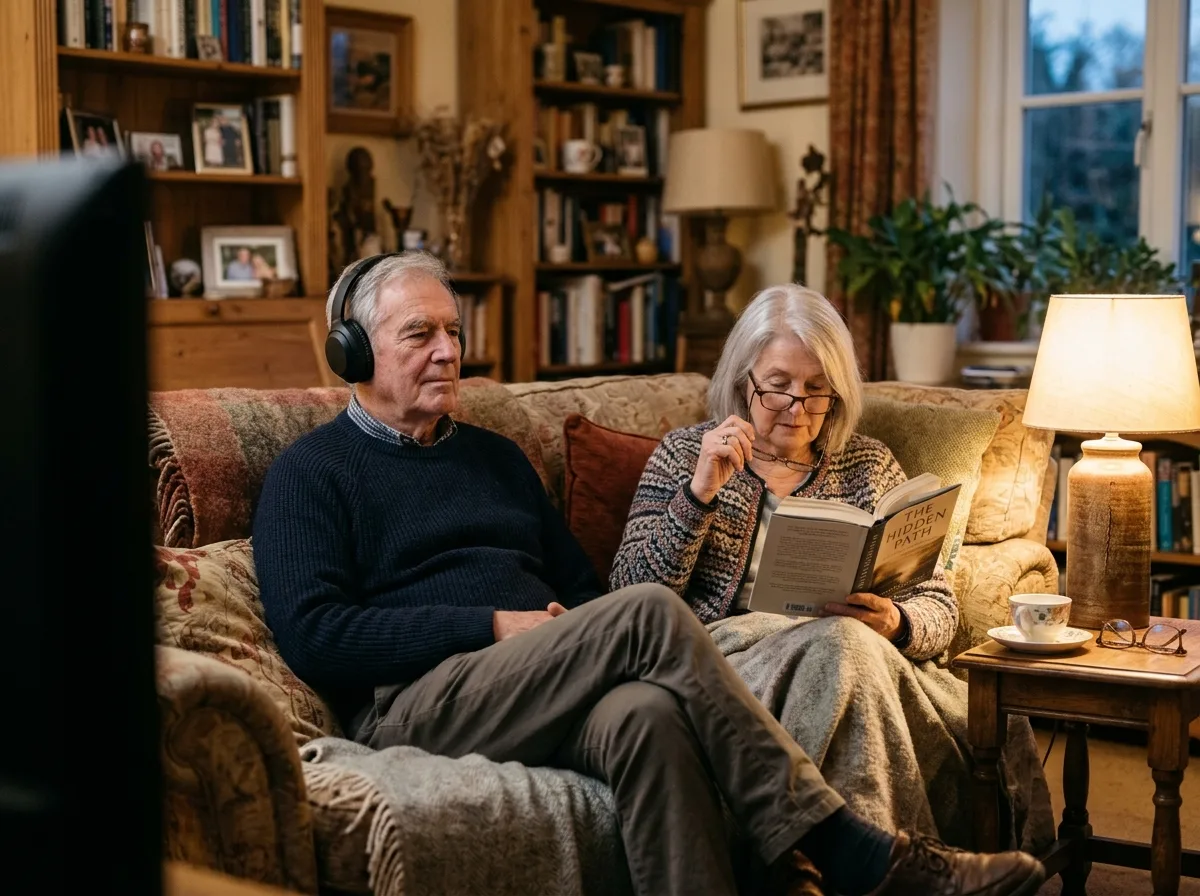
TV at a low volume
Hear every line without waking the house or turning the TV up.

Family gatherings
Keep up with the whole table, not just the person next to you.
How it works
Loud in one tap. Clear with one more.
- 1
Connect headphones
Wired or Bluetooth: any headphones or earbuds.
- 2
Tap to listen
Your iPhone's mic picks up the room in real time.
- 3
Boost & tune
Slide the boost and pick an EQ preset for speech, bass or treble.
Speech Clarity: Lifts the frequencies where voices live.
Illustration of the EQ presets. Speech Clarity and the others are LoudPhone Pro features.
Real-time amplification
Boost the sounds around you instantly, with almost no delay.
Boost up to 200%
Raise the volume smoothly: up to 110% free, up to 200% with LoudPhone Pro.
EQ presets
Speech Clarity, Bass Boost, Treble Boost and Noise Reduction for any situation (Pro).
Works with your headphones
Wired or Bluetooth: connect, press start, listen.
Profiles
Save your favourite boost and EQ combinations and switch in one tap (Pro).
Recordings
Capture what you hear for notes and playback later (Pro).
Free
Everything you need to start listening.
- ✓Live listening
- ✓Boost up to 110%
- ✓Flat preset
LoudPhone Pro
The full experience, by subscription.
- ✓Boost up to 200%
- ✓All EQ presets
- ✓Saved profiles
- ✓Recordings
Hearing & volume guides
All guides →Bluetooth Headphones Volume Low on iPhone? 8 Fixes
Fix quiet Bluetooth headphones on iPhone with checks for volume limits, headphone controls, app settings and pairing—without chasing Android-only fixes.
How to Hear Lectures Better: Seating, Mics and Captions
Hear more of your next lecture with a better seat, a clear microphone feed, and captions. Learn when recordings and personal amplification can help, too.
How to Hear TV Better Without Turning It Up: 7 Fixes
Make TV dialogue easier to follow without raising the room volume. Start with free settings, then compare soundbars, headphones, and personal listening options.
How Loud Is Too Loud for Headphones? Safe Listening Guide
Headphone safety depends on volume and listening time. Check WHO guidance, monitor your iPhone audio levels, and set up Reduce Loud Audio.
Headphone Accommodations iPhone: Setup and Tuning
Make calls and music easier to hear with iPhone Headphone Accommodations. Check headphone compatibility, run custom setup, and compare settings for voices and music.
iPhone Volume Low on Calls? Fix Quiet Call Audio
Fix quiet iPhone calls with a practical troubleshooting order: in-call volume, receiver cleaning, audio routing, speakerphone tests, and software resets.
Questions
Is LoudPhone a hearing aid?+
No. It's a sound amplification tool for everyday listening. It isn't a medical device and doesn't diagnose or treat hearing loss. If you're worried about your hearing, see an audiologist.
What's free?+
Live listening with boost up to 110% and the Flat preset. LoudPhone Pro adds boost to 200%, all EQ presets, saved profiles and recordings.
Which headphones work?+
Wired and Bluetooth headphones and earbuds.
Where does it help most?+
Conversations in noisy rooms, lectures and meetings, watching TV at a low volume, and hearing quieter voices.
Hear the world more clearly.
Connect your headphones, press start, listen.
LoudPhone is not a medical device and isn't intended to diagnose or treat hearing loss.